


After a chaotic Christmas Eve and early morning that saw Valve’s Steam servers buckling under the weight of the Winter Sale, the platform finally appears to have found its footing. However, the relief for PC gamers has been short-lived. As Steam users return to their libraries, a new wave of frustration is cresting over at the Epic Games Store (EGS).
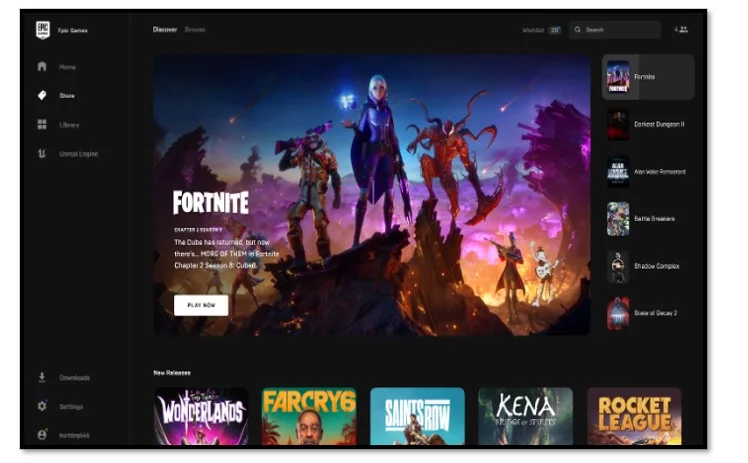
Reports are flooding in of failed logins, sluggish storefront loading times, and a complete inability to redeem the highly anticipated “Mystery Game” of the day. It seems the holiday traffic has simply moved from one neighborhood to another, and Epic’s infrastructure is currently feeling the heat.
Steam: Back from the Brink
For most of the last twelve hours, Steam was a digital ghost town. Users trying to access the store were met with the dreaded “E502 L3 Bad Gateway” error—a classic sign of a server-side overload. With millions of players worldwide attempting to redeem gift cards, browse the Winter Sale, and download heavy hitters like Hollow Knight: Silksong and Hades II, the “Bad Gateway” became a recurring holiday guest.
As of midday, however, the unofficial Steam Status trackers show green across the board. Connectivity has returned to the East Coast of the US and Europe, though some users may still experience minor hiccups in Community Hubs and profile updates. If you were holding off on that checkout, now might be your safest window of opportunity.
Epic Games Store: The “Mystery Game” Effect
While Steam’s issues were largely attributed to sales volume, Epic’s current struggles are likely compounded by their Holiday Free Games Marathon. Every day at 11:00 AM ET, Epic releases a new free title, and today’s offering has reportedly triggered a massive surge in traffic that the launcher wasn’t ready to handle.
Players are reporting several distinct issues:
- The “Infinite Spinner”: Launching the EGS client leads to a perpetual loading circle that never reaches the home page.
- Authentication Errors: Users who are logged out find themselves unable to log back in, receiving “Internal Server Error” messages.
- Failed Redemptions: Those lucky enough to see the free game often find that clicking “Get” results in a transaction error or a “Request Timed Out” notification.
The AWS Factor: A Broader Cloud Issue?
There is mounting speculation that these outages aren’t just a result of holiday shoppers. Earlier today, reports indicated brief instability within Amazon Web Services (AWS) regions. Since both Epic Games and several Valve services rely on major cloud providers for backend stability, any flicker in the AWS “grid” acts like a power surge across the entire gaming industry.
While AWS has officially stated their core services are operational, the “echo effect” of an earlier glitch can cause backlogs in login queues that take hours to clear.
What Can You Do?
If you’re currently staring at a frozen Epic Games Launcher, the best advice is the hardest to follow: Wait.
- Avoid Spamming: Repeatedly clicking “Sign In” or “Refresh” only adds to the server load and, in some cases, can trigger a temporary “rate-limit” block on your IP address.
- Use the Web Browser: If the desktop launcher is dead, try accessing the epic games store via a mobile or desktop browser. It often uses different cache paths and may let you claim your free game more easily.
- Check the Official Status: Keep an eye on the epic games page for real-time updates on when a fix is deployed.
