
Pre-act, and the digital world gets a little bit safer. Google has updated its Chrome web browser to patch a total of new security vulnerabilities in the software, including nine that have been high-severity. This is not a minor patch for a visual bug, but rather an essential fix to close holes that could be exploited by hackers to take over your computer.
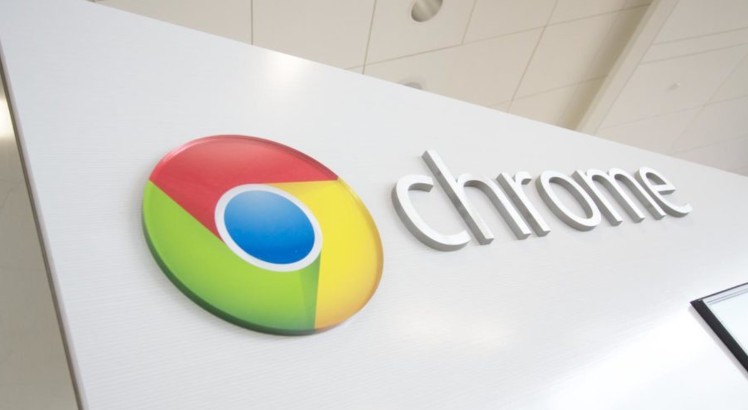
Chrome version 143.0.7499.40/41 for desktop users (Windows, macOS, Linux) is coming out to the stable channel now. If your browser doesn’t automatically update, you should take manual action now to protect yourself against compromise of personal data, passwords and security.
The Four Most Severe Vulnerabilities: Code Execution Vulnerabilities
Of the flaws, four are deemed to carry “High” severity, which means they are a threat and could be used by an attacker to remotely run arbitrary code on your system if they can trick you into visiting a specially-crafted webpage.
Read also:
- Google Extends Pixel
- Free Fire MAX is releasing new redemption
- Centre Steps Back
- DigiLocker Users Beware
The V8 JavaScript Engine : Nightmare (CVE-2025-13630)
The most severe of the bugs fixed is a Type Confusion bug in V8, Chrome’s “wide-reaching” JavaScript and WebAssembly engine. V8 is the native code that powers applications in and makes Web pages responsive.
What they do: A Type Confusion bug occurs when the browser does not adequately manage types of data while rendering. This confusion can be exploited by an advanced attacker to compromise the browser’s memory and make it run their own (non-approved) code on your device.
The danger: This vulnerability is a tried and true remote code execution (RCE) vector., meaning an attacker doesn’t need physical access to your device — they simply have you visit ill-intended websites. Google did recognize the seriousness of this issue, however: it paid an impressive $11,000 bounty to the outside researcher who reported it.
Use-After-Free in Digital Credentials (CVE-2025-13633)
Another high-severity flaw was discovered in its Digital Credentials component as a result of use-after-free (UAF).
What’s a UAF vulnerability: A UAF vulnerability is memory corruption bug. That occurs when a program attempts to access memory that has already been free-ed. If an attacker can control the timing, then they’ll be able to write their own exploits within said freed memory location once again resulting in possible arbitrary code execution.
Inappropriate Implementation Issues
Two other high-severity bugs were marked as “Inappropriate implementation” issues targeting the Google Updater and DevTools. These problems can enable attackers to bypass built-in security mechanisms intended to protect the browser even if an ancillary bug is exploited.
Why You Can’t Afford to Wait?
Computer security experts consistently emphasize that the period of time between when a patch is issued and a real-world exploit (often called a “zero day” attack) is shortening. “By announcing a major security fix, an organization such as Google essentially provides little more than a blueprint of the vulnerabilities that need to be exploited,” they said.
Active Exploitation Risk: Although Google has not revealed if these particular vulnerabilities were under active exploitation by hackers, past stats reveal that attackers start reverse engineering the security patches as soon as possible in order to develop their own exploit. Every minute that you don’t upgrade is a minute when your browser is using known-vulnerable code.
The Big Picture: Chrome is still the most popular web browser on the planet, with billions of users on desktops, Android and iOS. The very number of potential targets makes it crucial that the holes be fixed — for global digital security.
How to Update Chrome Right Now (And Why You Need To)
Although Chrome should automatically update in the background, you’ll need to relaunch the browser for the fix to take effect. If you haven’t closed Chrome for a while, you might be running an old version.
- Open Chrome.
- Tap on the three-dot menu (More) in the upper right corner.
- Click on Help then choose About Google Chrome.
- Chrome will automatically ask for the update and will download the new version (143.0.7499.40/41 or greater).
- Press the Relaunch button at the end of the installation process.
This single, simple thing takes 30 seconds and is the best protection you can put in place against serious, high-risk security threats. Do it now.
