

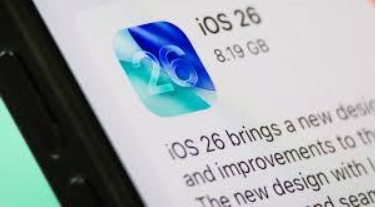
Apple has released iOS 26.2, the second major update to its current mobile operating system — though this one may not shake headlines with any particularly ambitious visual overhauls, it sets itself apart with a cast of thoughtfully crafted quality-of-life changes that significantly improve the iPhone’s daily experience. This isn’t a bug-fix release; it’s an improvement that’s rooted in personalization, security and productivity — reminding us that some changes are so important they come with hardly any visible changes at all.
The mid-December 2025 update is a sign of Apple actually listening to users, in particular regarding the controversial visual changes that arrived with iOS 26. Whether you’re singing in the shower, have your hands covered in cake batter or are at the gym, if you own an iPhone then make sure you get involved and download it –we promise it’s worth it.
New: Some French Polish and a Functionality Boost
iOS 26.2 comes with important over the hood updates for your favorite apps and system tools:
‘Liquid Glass’ Lock Screen Tweak
Liquid Glass (Introduced in iOS 26) Liquid Glass was a design that users either loved or hated. In 26.2, Apple strikes a compromise grounded in customization. New: Customizable option that allows changing the opacity of the clock on Lockscreen. You can now also make that effect less transparent if you want a clearer and crisper view of the time over your wallpaper- a small, but highly useful tweak that restore control to the user.
AirDrop Gets a Security Check
In part to deal with the complaint of unwanted file being lumped in your face on public transportation and other sensitive locations, iOS 26.2 brings us AirDrop Codes. If you’re sharing files with someone you haven’t added to your contacts, another verification step appears, where the sender must enter a code that’s visible on the recipient’s device. That adds an important security (and trust) layer which makes using AirDrop safer, particularly in public or professional environments.
Apple Music and Podcast Upgrades
Music lovers will be especially pleased with two important inclusions:
Offline Lyrics: You can now view lyrics for downloaded songs even without an internet connection, so it’s the perfect option for flights, subways and anywhere with low connectivity.
Smarter Podcasts: The app now creates auto-chapters to help users navigate longer episodes and provides direct links to other podcasts that are mentioned in a show’s transcript.
Productivity and Safety Tools
The update will include long, long overdue improvements to utility apps:
Alarm Reminders: You can now set a real alarm (with snooze!) for important to-dos in the Reminders app so that important items don’t slip through the cracks.
Enhanced Safety Alerts (U.S. only): This can now give you a richer and more actionable report about natural disasters, floodings or other emergency situations, often including maps and links to get immediate safety advice.
How to Update Your iPhone to iOS 26.2?
Getting the update installed is easy and straightforward for all users (and takes only a few minutes), but it is important to follow these steps at our guide in order to play no problems:
Prep: Make sure your phone is on Wi-Fi and charged up to at least 50%, or keep it plugged into a charger.
- Head to Settings: Launch the Settings app on your iPhone.
- Find the Update: Go to General > Software Update.
- Download and Install: The iOS 26.2 update will be available. Tap Download and Install, enter your passcode if required and tap Agree to confirm the terms and conditions.
Your iPhone will download the update and reboot to install it.
Eligible iPhones: Who Gets the Update?
iOS 26.2 is compatible with any iPhone on the same version of iOS 26 that the first official release supported. While the update is part of Apple’s support for older devices, it’s available to quite a bit of hardware in general:
iPhone 11 series and beyond (i.e., iPhone 11 / 12 / 13 /14/15/16 and the latest iPhone 17 series)
Second-generation) iPhone SE.
If you have an iPhone model that falls into this category, the update should be available right away in your Software Update settings. As an important update with fixes for known bugs, upgradation is recommended to all users.
