

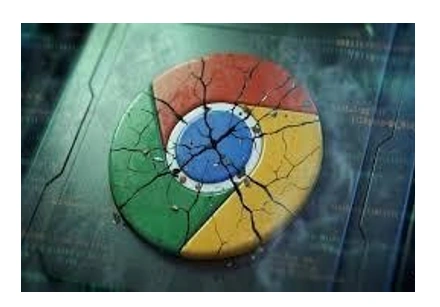
Google has given an emergency warning to close to four billion users in a week that has rocked the cybersecurity community across the globe. The technology giant reported that it is scrambling to fix two seriousness vulnerabilities, i.e. vulnerabilities that were not known to the company, yet in the wild, are already under active exploitation by hackers.
To an ordinary individual, browser is a window to the world. These flaws become a window, however, to an attacker. The vulnerabilities are followed by the CVE-2026-3909 and CVE-2026-3910 but do not force you to download a suspicious file or provide a password; just being on a compromised webpage may be sufficient to hand over the control of your digital life.
The Mechanics of a Silent Intrusion
In order to see why the security experts are raising the red flag, we need to pull the covers of the way Chrome is actually operating. These are not some trivial glitches, but they touch the fundamental operation of the way the browser presents the internet.
The Graphics Glitch: CVE-2026-3909
The first weakness is in Skia an open-source graphics library that Chrome relies on to render everything you see to the text in this article to the buttons on your favorite social media site. It is out of bounds write vulnerability. To the laymen, it is like a painter who spills toxic paint outside the canvas and onto the ground. When a hacker creates a certain kind of malicious image or even HTML page, they may direct the browser to write data in areas in your computer memory where it should not be written. This may bring down your computer, or worse, incite the attacker to be able to write his code.
The Engine Failure: CVE-2026-3910
The second weakness is more worrying. it attacks the V8, the high performance engine that implements JavaScript used to make the modern web interactive. Since V8 will be in charge of executing the logic of sites, a defect in that regard will imply that an attacker can use it to trick the engine into overcoming security checks.
Through this, a remote attacker was able to execute arbitrary code within the browser on its sandbox. Although the sandbox of Chrome can ensure that a malicious tab does not spread to the rest of your computer, such malfunctions are frequently the start of a chain reaction that will result in a complete system overtake.
Read also: Chrome 0-Day Vulnerability Actively Exploited by Attackers in the Wild
Defending Your Cyber Frontier
The positive thing is that the solution is already there. Nonetheless, since most of us leave our browsers unattended over days or even weeks, the update can be lurking in the background and it needs a restart to be effective.
Brower Security: How to Secure You Browser 2011:
- Check for Updates: In the top right part of the chrome window, you will see three dots, and you need to click on them.
- Search: Go to Help: Hover the cursor on the word Help and choose About Google Chrome.
- The Important Instruction: In case an update is downloaded, you should choose the Relaunch button. No protection is accorded to chrome until the program is fully closed and re-opened.
Read also: Google Launches New iOS Tool to Help Users Switch From Safari to Chrome
