

A lot of us love playing with words more than any other toys or tools, but there are hardly a handful of us who succeeds in becoming a writer. Yeah, writing is definitely not everyone’s cup of tea. However, if you find the creativity within you, read on to find how you can polish it. There are times when the write-up seems to be perfect, but it is actually not since there remain several minute errors that we may either overlook or are unable to detect. Yet, a grammar nazi would always never leave an opportunity to point out these mistakes.
When you are presenting a write-up to a good number of audience, it is always essential to ensure that there is no error in the content, so as to develop a positive impression upon your readers. The internet has got solutions to all your problems, and here too, you can access tools like Grammarly that is capable of detecting all your critical and advanced errors with proper description and punctuation. It scans for every imperfect phrase to make it perfect in order to maintain a grammatical precision.
Grammarly – A professional tool for all your writing tasks
Grammarly makes sure that your messages, documents and social posts remain free of errors. This provides a good impact on the readers. It also increases the readability score of the content piece, thereby helping the content to rank at the top. Of course, a traditional free grammar checker is helpful. However, if you are looking for a pro post, it is advisable to go for the Premium version as it is more accurate.
Typos and grammar mistakes are certainly very embarrassing and that’s where you realize the necessity of a checker tool such as Grammarly. I am sure, all of you would agree with me, for these mistakes aren’t something to ignore. Grammarly is really awesome when it comes to proofreading articles, blog posts and book chapters. It gives a wide array of options to a writer to enhance the standard of his or her writing. Definitely, you need to be creative! But if you are a little prone to make annoying grammatical disputes, this tool is here to help you out in every possible way.
As long as you are working with the free version, you can get through quite a handful of errors and correct them accordingly. This is an important tool for every content writer and freelancer for they had to deal in contents almost everyday. For every newbie content writer or freelancer, you need to get an access to this grammar checker in order to improve your vocabulary and quality of the draft. Initially, you can give a try to the free version and then, may choose to grab the Premium or the paid version since it comes with noticeably more robusf features.
Difference between the free and the Premium version
The free version of this tool offers 150 critical grammar errors and spelling checks, while the Premium version offers an additional 100 advanced grammar checks. It also offers a plagiarism feature that lets you judge the originality of the content. Just as I have already said that a content full of grammatical mistakes lower the readability score of the piece as well as fails to grab the readers’ attention for the quality of the write-up is quite poor. Also, a duplicate content has got no better scope in the eyes of the audience.
Why would someone prefer your post or web content if there is nothing original or unique? A copy-paste content has no potential before Google and thus, a blog post should always be original. To detect the originality of the content piece, one can use the Grammarly tool in the paid version to check the plagiarism report. Thus, the Premium version has two significant features, one is vocabulary enhancement and the other is plagiarism checker that aren’t available for the free version.
Some of the benefits include:
- Grammar rules are explained in detail
- Documents are accessed on multiple devices
- You can get a clear access to the synonyms and definitions for the words used
Read also
Ease of use: Grammarly
Grammarly is absolutely simple and easy to use and that is certainly a brighter side behind its growing popularity. A user can either use Grammarly Microsoft office or an online dashboard which works pretty much similar to that of Google Docs. You can even opt for installing the Grammarly Chrome plugin. One can even choose the option of logging in to the tool via any web browser.
When you open the dashboard of grammar checker, you have the option to open a new document and start writing on that page. In case your content is already written, you can simply choose the option to copy paste your work and opt for analysis of the content. Just like word, it will mark all your errors and the best part is you will get a clear explanation of your mistakes so that you get an opportunity to rectify and work upon those errors.
Is Grammarly accurate? Can it really assist the writers?
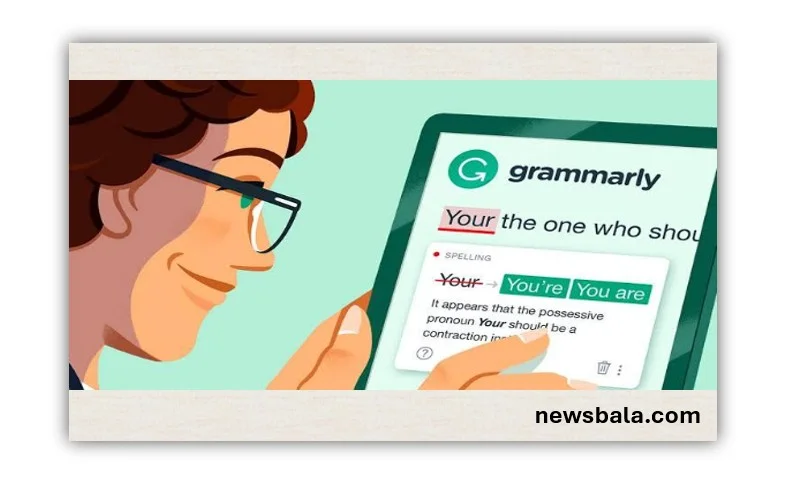
The errors in the content are marked with underline on the Grammarly dashboard. Just as you click on any error, you will be notified with the explanation of that particular error on the side. There would also be an arrow, click on that to check out more about it. Grammarly is too efficient im identifying problems and offering possible explanations as well as solutions for the same.
Mistakes that Grammarly check is famous for:
The Premium version of Grammarly is capable of detecting some common mistakes that humans, even after several times of proofreading is unable to point out. This feature makes this app so very popular in the market, especially for the writers and bloggers, who are compelled to deal in contents on a regular basis and even the slightest of a mistake appears to be a humiliating one for the entire blog. Here are some of the detections:
- Grammarly helps in identifying confused prepositions
Prepositions are quite confusing and though we think certain prepositions agree with the rest of the sentence, they may stand out to be a grammatical error. In that case, Grammarly Premium provides you suitable prepositions and alternatives in respect to your mistake.
- Overuse of passive voice
In order to increase the readability score, it is essential to frame sentences in active voice as sentences in passive voice tend to reward a lower readability score and is also not good for SEO purpose. Thus, Grammarly detects the excessive usage of passive voice in the content so that you can correct them accordingly.
- Overused words/Wordliness
There are times when a content sees a repetitive word. Excessive use of a word in the overall content makes it uninteresting. Grammarly detects such issues and lets you find alternative options to it.
- Common writing mistakes or punctuation
Writing mistakes such as misplaced apostrophes, semicolons and punctuation marks are quite common. Yet, all these errors affect the content in a really bad way. Grammarly helps you work out with all those issues so that you can correct them easily.
- Spelling mistakes
A writer is generally not bad at playing with words. He or she is certainly potent of spellings. Yet, we tend to get stuck at several words and come out with a spelling error. Grammarly detects such errors more efficiently.
Bottom line:
Since I love to pour my thoughts and feelings into the white paper, I have been into this writing profession for quite a long span of time. Taking up Grammarly, I was astonished to find out some of my bad habits at writing which so far was something “go easy” for me. Truly, Grammarly points out every fine error in order to tune up a writer’s content.
No matter how long you have been into this writing field, Grammarly is sure to prove as a good tool for each and every writer. You can witness the difference in your writing skills yourself, I myself has seen an amazing upliftment in the standard of the draft.
